Story
Scripts and character rules. Build your world and set the tone.
Scripts, characters, storyboards and AI assistants in one creative workspace.
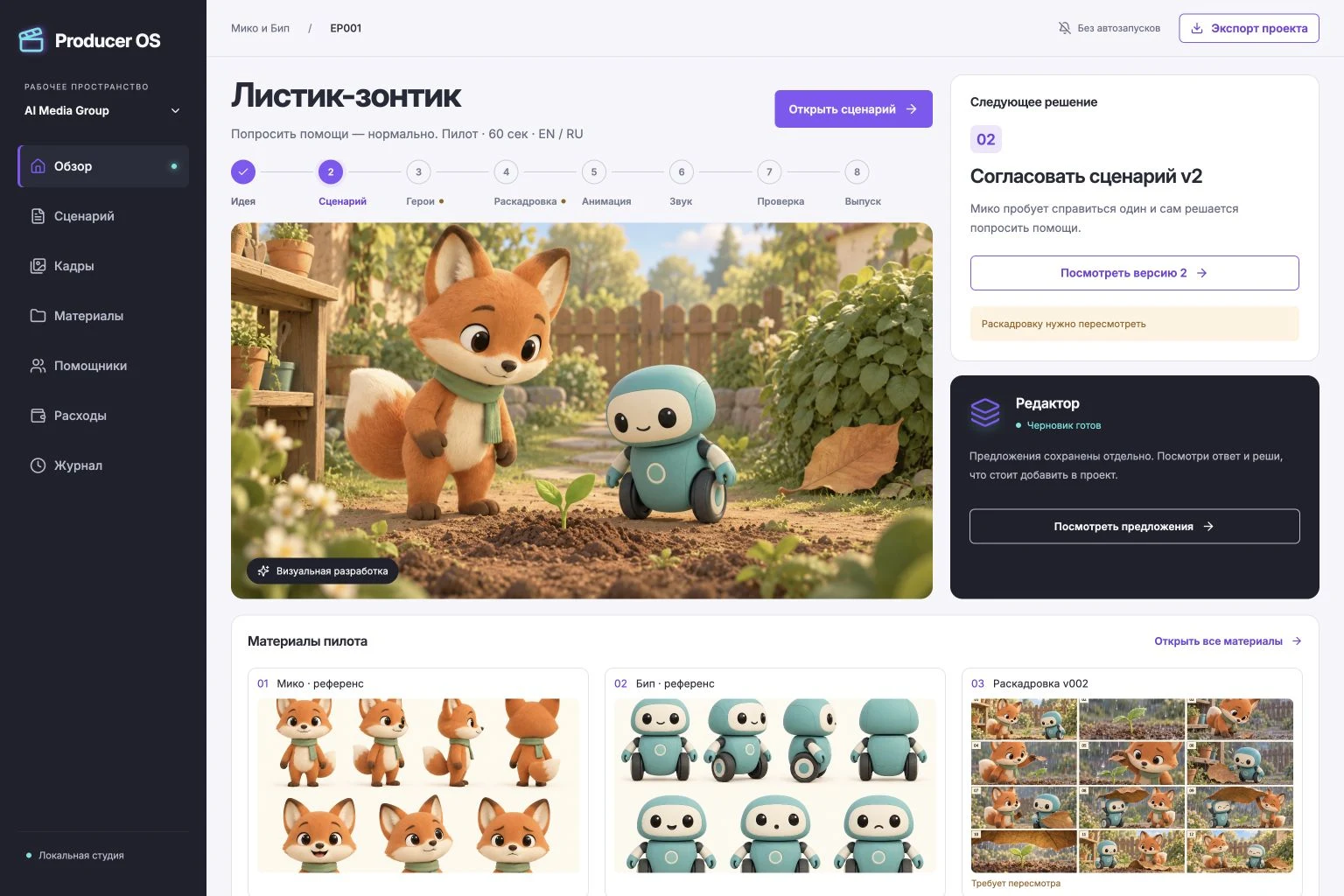
Scripts and character rules. Build your world and set the tone.
Storyboards and materials. Turn your story into a visual plan.
Versions, comments and decisions. Keep the context behind every change.
Stage checks and project export. Prepare your materials for the next step.
Explore ideas with assistants that use your project context. Each response stays separate until you choose to save it as a new version.
Assistants work with text and a list of assets. They do not launch generation, approve stages or publish on their own.
Miko lifts the leaf. One edge drops. He tries again, then looks at Beep and quietly asks: “Will you help me?”
Illustrative script excerptAtruma is being developed around a real animation studio project.
Not yet. The current workspace brings together documents, assets, text-based AI assistants and manual approvals. Video generation, voice production and publishing are handled separately.
Registration is open. Early access includes one project and 100 MB of files in your own workspace. AI requests, paid plans and payments are not enabled yet. Email verification and password recovery will follow once mail delivery is configured.
This website is available in English and Russian. The current studio supports keeping RU/EN text and assets together; it does not provide automatic dubbing. The workspace interface is currently in Russian.
The studio owner. Assistants produce drafts; saving a new version and approving a stage are separate, manual actions.